Delph INS Subsea Batch Processing
The main tasks available in Delph INS Subsea are available:
| > | under command line form |
| > | or by clicking on the  button available in some screens. This button helps the user to get the command line related to the command. Thus it is easier to copy and paste the command line and use it in the command prompt. button available in some screens. This button helps the user to get the command line related to the command. Thus it is easier to copy and paste the command line and use it in the command prompt. |
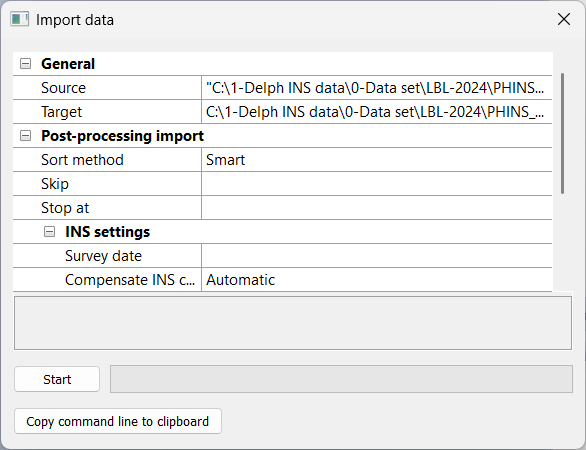
These commands which can be run in a command prompt are divided in three categories:
| > | Importers (PostproDecode, GenericText2Xpf, Nmea2Xpf): these functions convert raw data files from various formats into *.xpf data files |
| > | Processing (PostproIns): this function performs the post-processing of INS and GNSS data in Delph INS Subsea. This command needs an XML file gathering the processing parameters |
| > | Exporters (UdtExporter, Xpf2Gis, Xpf2Kml, Xpf2Sbet, XpfAnalyzer): these functions export the *.xpf data file into other data formats (*.txt,*.gis, *.html, *.kml and *.sbet files respectively) in order to import these files into external applications |
| > | Scheduling (PostproBatch): this function assists the processing in batch mode by decoding and processing data |

|
For these tasks, it is recommended to use the standard DOS Command Prompt (CMD). |
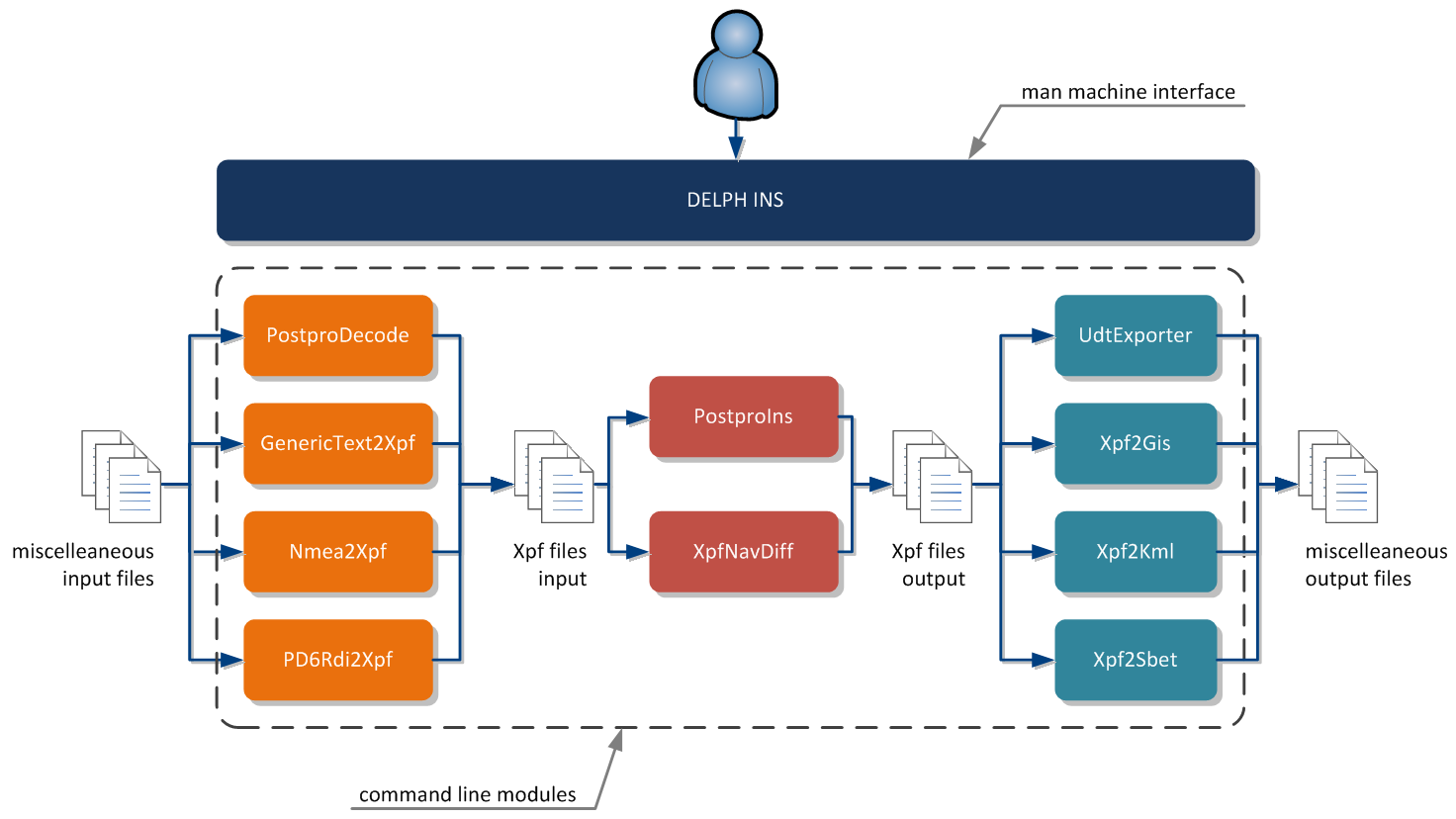
GenericText2Xpf application in overall architecture

|
The messages produced by these modules are described in details in online help files located in the "Doc\Command line modules" folder. |