Delph INS Subsea Software Overview
Delph INS Subsea software
The Delph INS Subsea software interface is divided in various panels, each of them corresponding to a specific function.
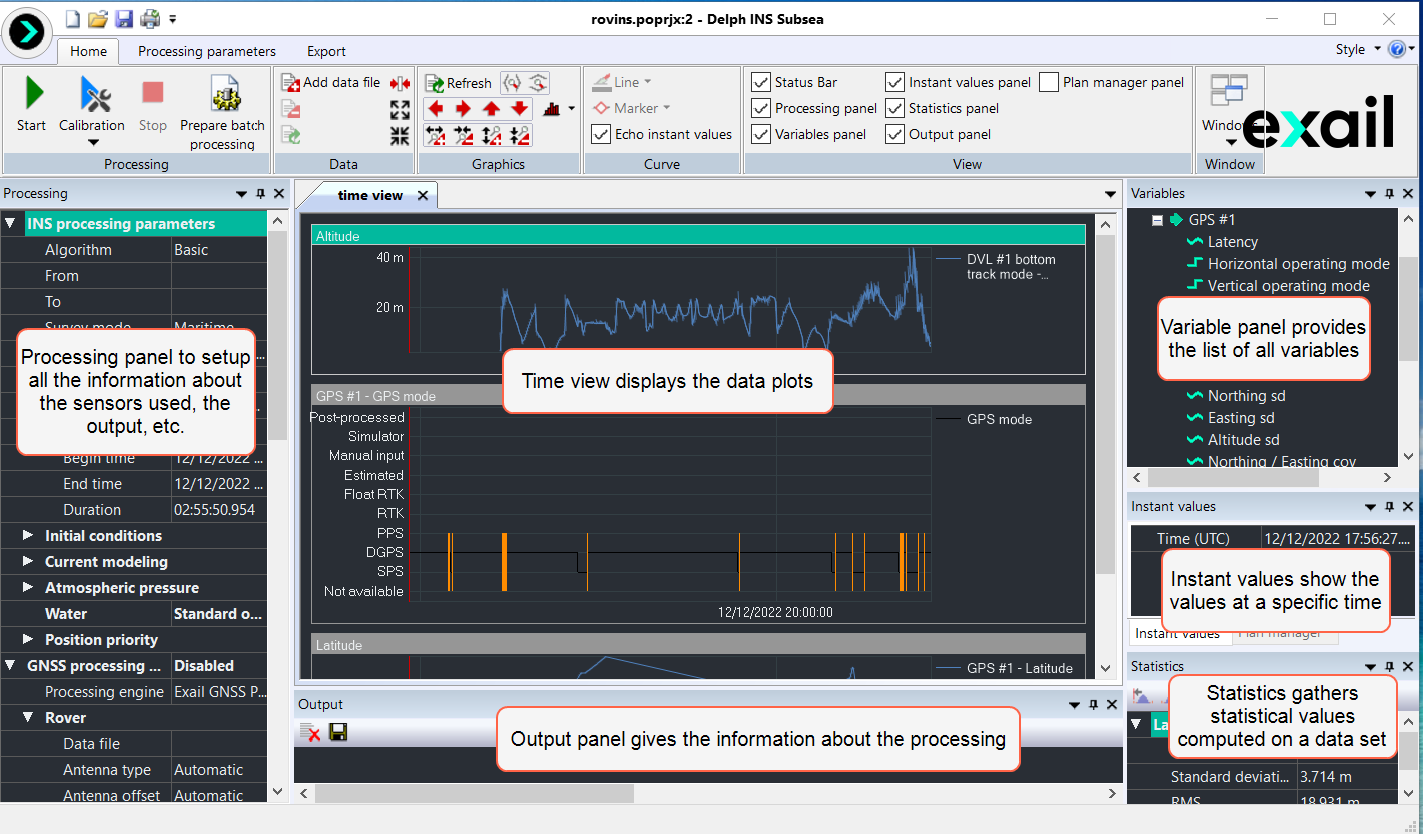
Delph INS Subsea Interface
To get details on the Delph INS Subsea user interface description, refer to the Delph INS Subsea User Interface Description
GNSS Downloading Tool
The GNSS Download Tool provided with Delph INS Subsea allows browsing for public GNSS base stations managed by various organizations worldwide and downloading the data of interest. It can be launched inside Delph INS Subsea with the Launch the GNSS Download Tool in the Processing parameters tab or alone with the GNSS Download Tool icon on the desktop.
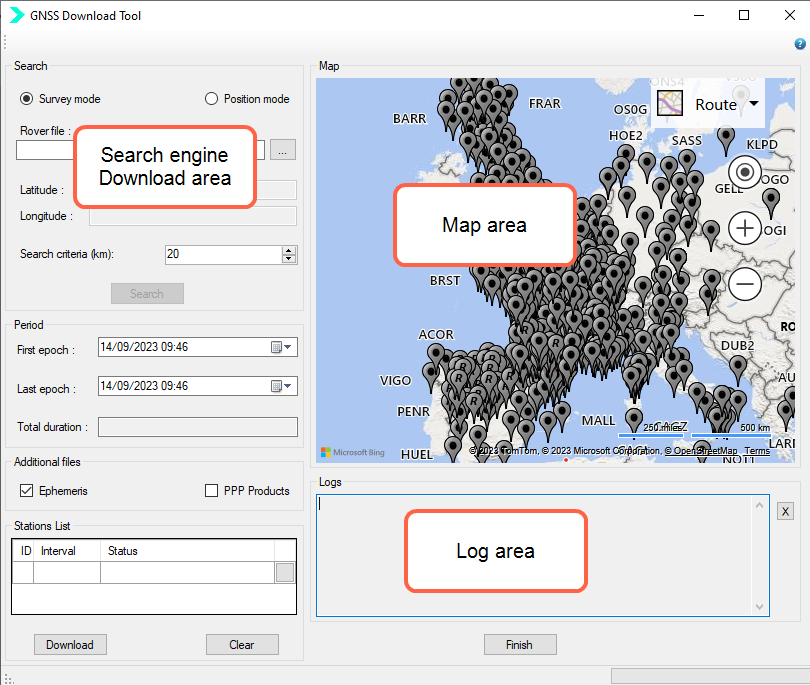
GNSS Download Tool
A base station allows estimating accurately the error made by the various models used in the GNSS receiver to compute its distance to each satellite, such as the ionospheric or tropospheric models.
Three steps are thus required to import public base stations into Delph INS Subsea by using GDT:
| > | Selecting the relevant public stations based on geographical criteria |
| > | Defining the time interval of interest |
| > | Downloading the data (including ephemeris file if needed) |
For more details, refer to Downloading Public Base Stations By Using GDT .