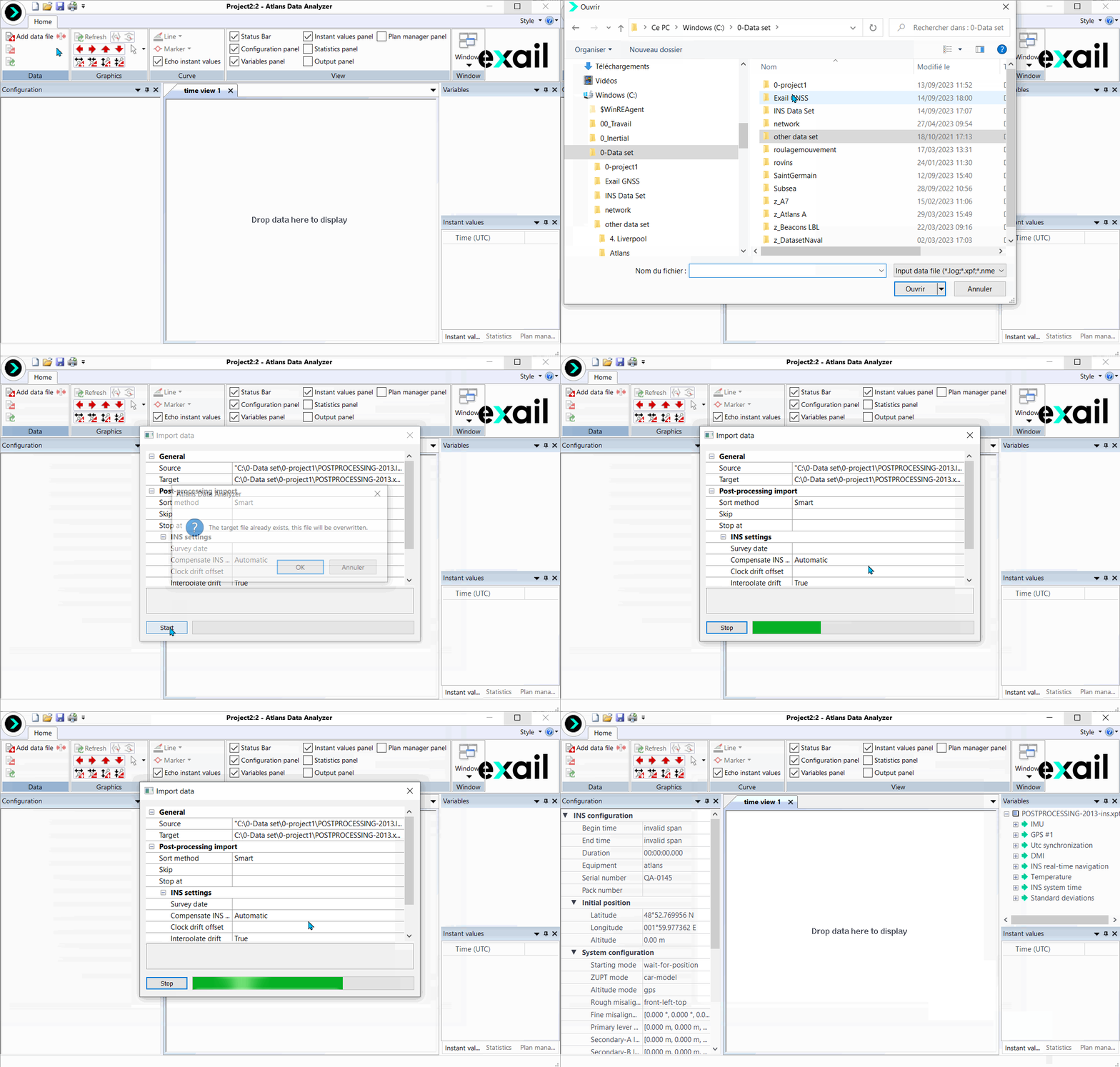
How to add data file?
|

|
Click on the picture to view the procedure
|
|
|

|
To add data file, you must first create a new project by clicking on the icon [CTRL N] icon [CTRL N]
|
| |
|
|
1.
|
Click on  option. A new window is displayed to select one input data file. This file can have one of the following extensions: option. A new window is displayed to select one input data file. This file can have one of the following extensions: |
|
>
|
.log: RAW INS Postprocessing File |
|
3.
|
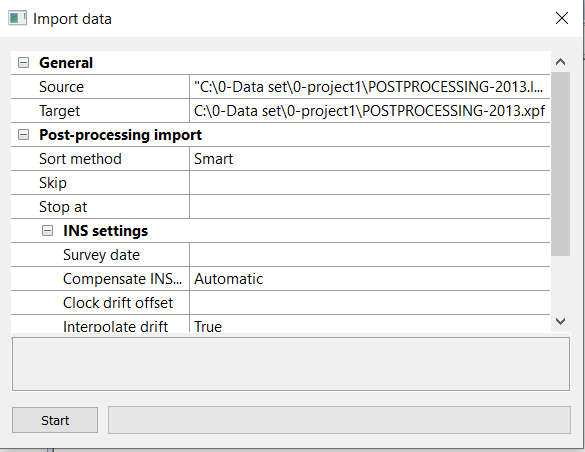
In case of .log file, the Raw data file recorded by the INS must be converted to XPF format data files before being inserted into Delph INS Subsea. The following window is then displayed: |
|
4.
|
If needed, select and/or modify the following fields: |
|
>
|
Target: destination file. |
|
>
|
Sort method: method to sort the input data files: None, Alphabetic, Smart. |
|
>
|
Skip: number of bytes to be skipped in the first input file. |
|
>
|
Stop at: number of bytes to be read before stopping the process. |
|
>
|
Survey date: date of the survey: leave blank to extract the value from the data. |
|
>
|
Compensate INS clock drift: compensate the drift of the INS clock using UTC synchronization telegrams: Automatic, Disabled, Enabled. |
|
>
|
Clock drift offset: value of the clock drift offset |
|
>
|
Interpolate drift: true of false |
|
5.
|
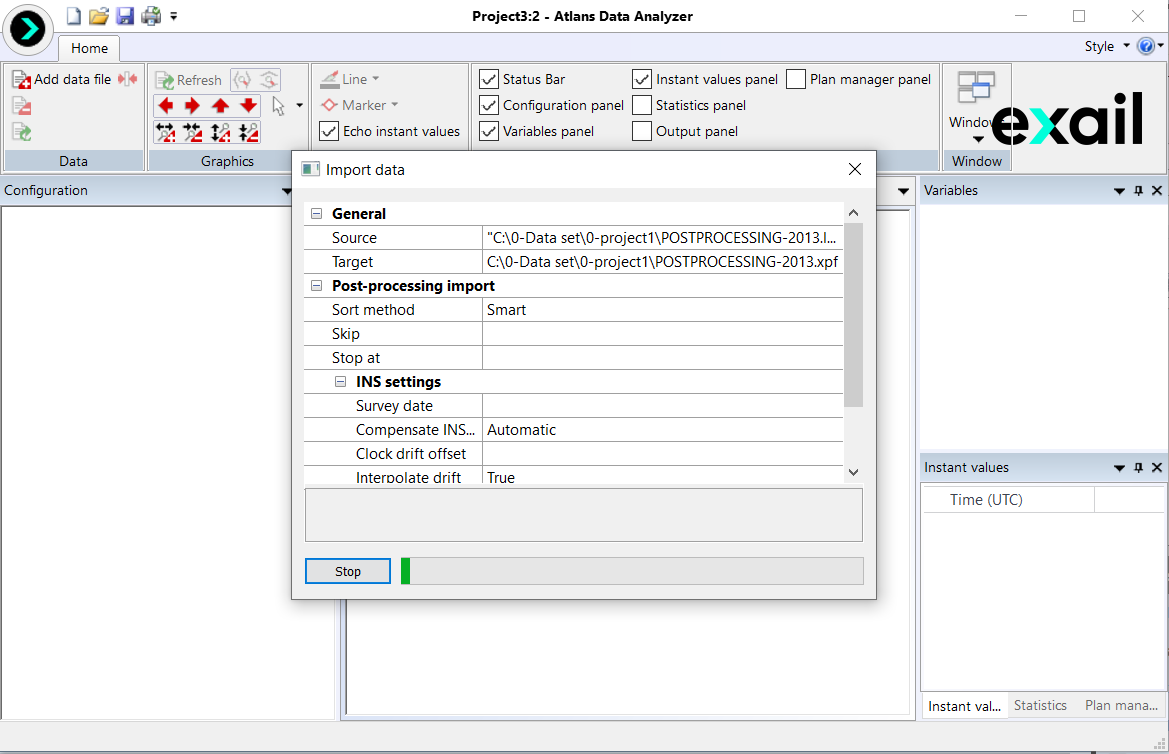
Click on Start button. Information on the file are displayed in the Output panel: |
The content of the Output panel can be saved into a file by clicking on icon.
icon.
The output panel can be cleaned by clicking on  icon.
icon.
|
6.
|
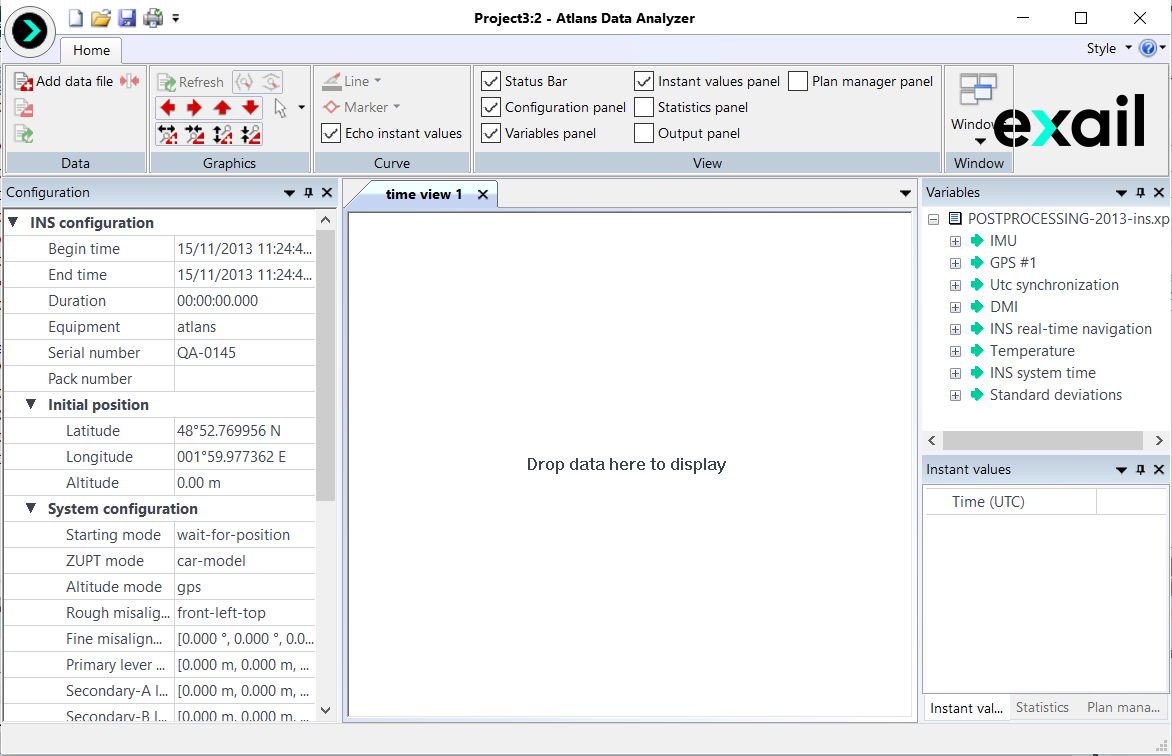
At the end of the conversion the data are automatically displayed in the Configuration panel and the Variables panel: |
|
7.
|
In case of XPF file, the data are displayed in the Variables panel without conversion. |

|
File contents are continuously analyzed in a background task.
INS configuration file is available in the project directory with end of file like "-ins.conf.html".
For large files, all the channels are not immediately displayed: they only appear once all the fields they contain have been loaded by Delph INS Subsea, which can take few seconds.
|