Main Window
The main window of Delph INS Subsea is composed of::
|
>
|
A Home and Processing tabs |
|
>
|
A Style and help menu bar |
|
>
|
Processing, Variables, Instant Values, Statistics and Output panels |
The panels are dockable on the four sides of the frame of the main window. You can convert them into floating panels by double-clicking on their title bar or include them in Delph INS Subsea main window (Figure below).
Each panel can be moved anywhere in the user interface. The panel can be either displayed on the user interface or pinned to one side of the user interface by clicking on  icon. Only the Time view cannot be pinned.
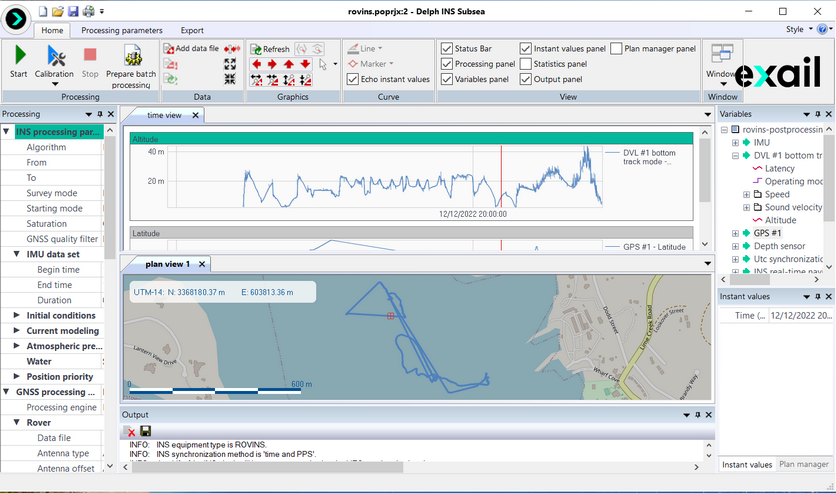
Main window
Once a panel has been moved, you can bring it back to its original position as follows:
|
>
|
Left click on the panel you want to drag until the repositioning tool is displayed (figure below) |
|
>
|
Drag the panel on the corresponding arrow to the direction where you want to set it |
|
>
|
Release the left button when the repositioned panel is highlighted: the panel is automatically positioned in the selected direction |
|
>
|
If necessary, adjust the width of the repositioned panel |
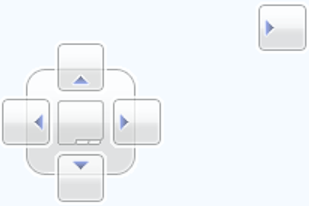
Repositioning tool
Once a panel has been pinned, you can bring it back to its original position as follows:
|
>
|
Click on the panel tab you want to drag. |
|
>
|
Click on the icon, the panel is automatically displayed at its last place on the interface |
.