Configuring an Antenna
This procedure can be applied to the rover and the base station in the GNSS processing.
| 1. | After creating your project with a GNSS rover file, click right on Unknown and select the type of the Antenna (IGS format). |
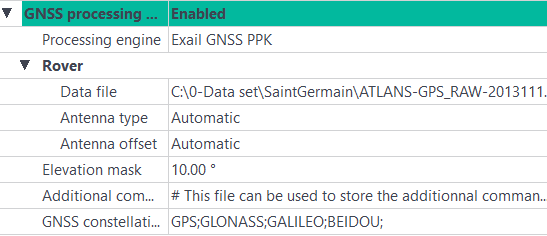
| 2. | If necessary, change the offset of the antenna by right-clicking on Automatic. Select User defined. Additional fields are displayed: |
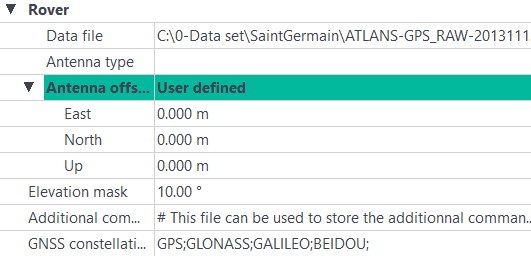
| 3. | Enter the different offsets of the antenna. |
| 4. | Click on  of the standard toolbar to save the modification. of the standard toolbar to save the modification. |