Using an Ephemeris File
You can create, modify and delete in the project as many ephemeris as you want.

|
Ephemeris file is mandatory for Exail GNSS engine and not used by Septentrio GNSS engine. |
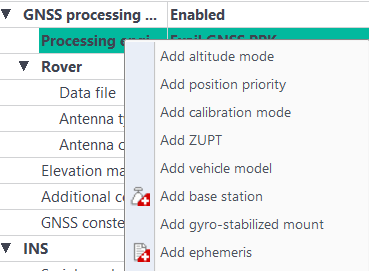
| 1. | Right click on INS processing parameters and in the pop-up menu, select Add ephemeris. |
A new group called Ephemeris is displayed in the GNSSProcessingparameters area.
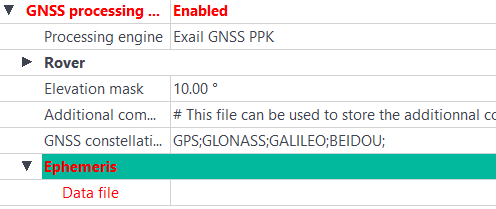
| 2. | Click on the right of Data file and use the  button to select the ephemeris data file (file containing the ephemeris observations). button to select the ephemeris data file (file containing the ephemeris observations). |