How to cancel license Detachment online
This procedure details the steps involved in canceling the detachment of an online license on a target machine.
| 1. | On the target machine where the detached license is installed, open http://localhost:1947. The Sentinel Admin Control center page is displayed. |
| 2. | Click on the Products tab at the left: |
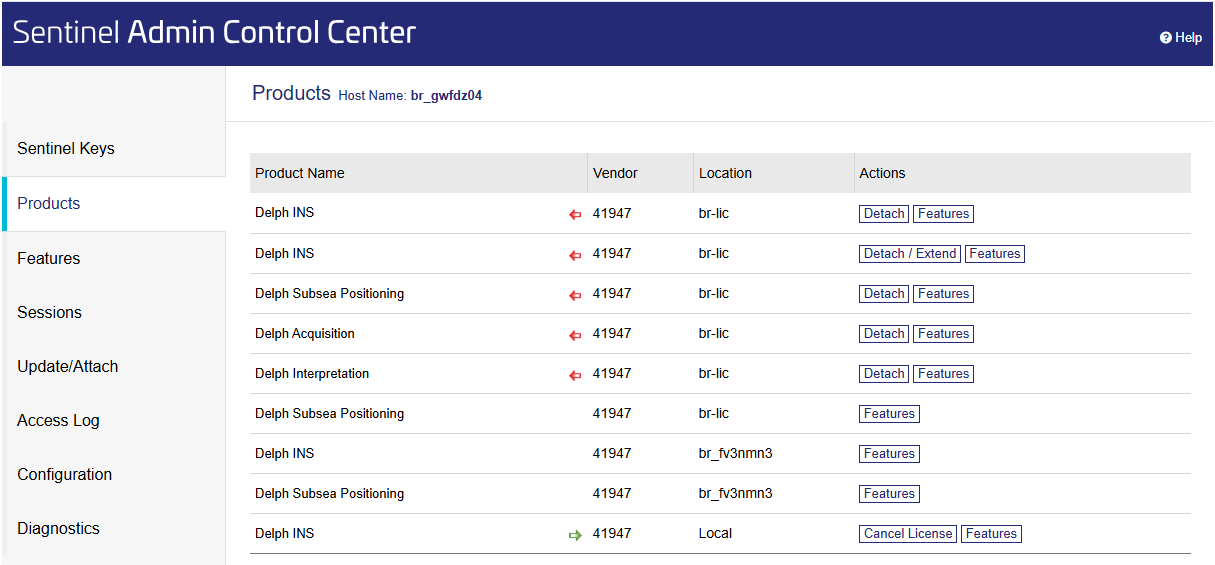
Note: Some licenses available from network server are displayed. The license to be canceled is the Local license displayed on the bottom of the table.
| 3. | Click on the Cancel License button and confirm the operation on the next screen: |
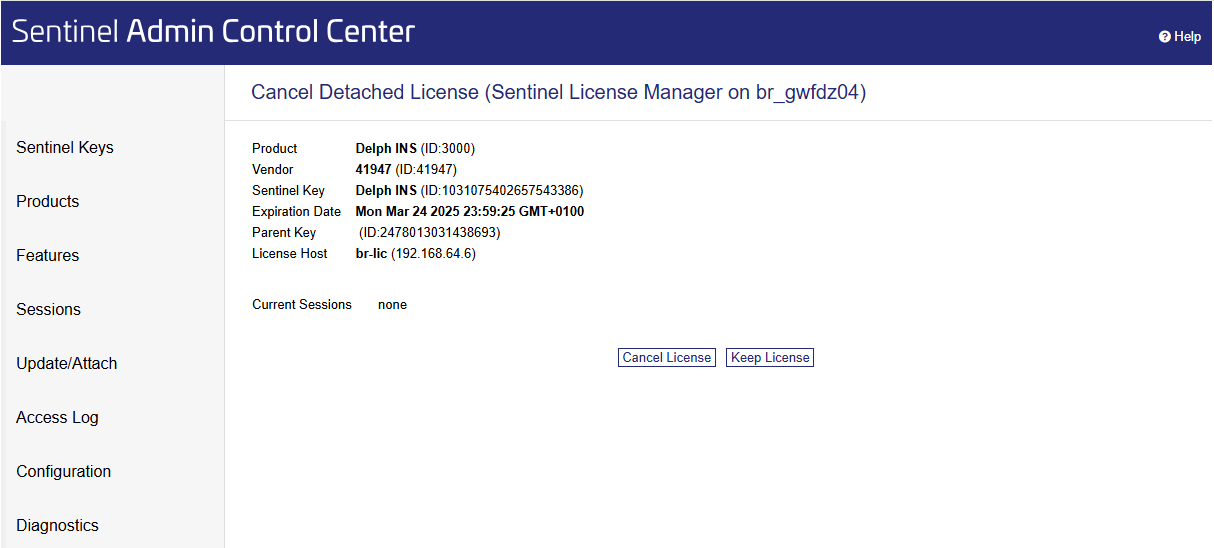
| 4. | Click on the Cancel License button. The system indicates the license is correctly restored on the server: |

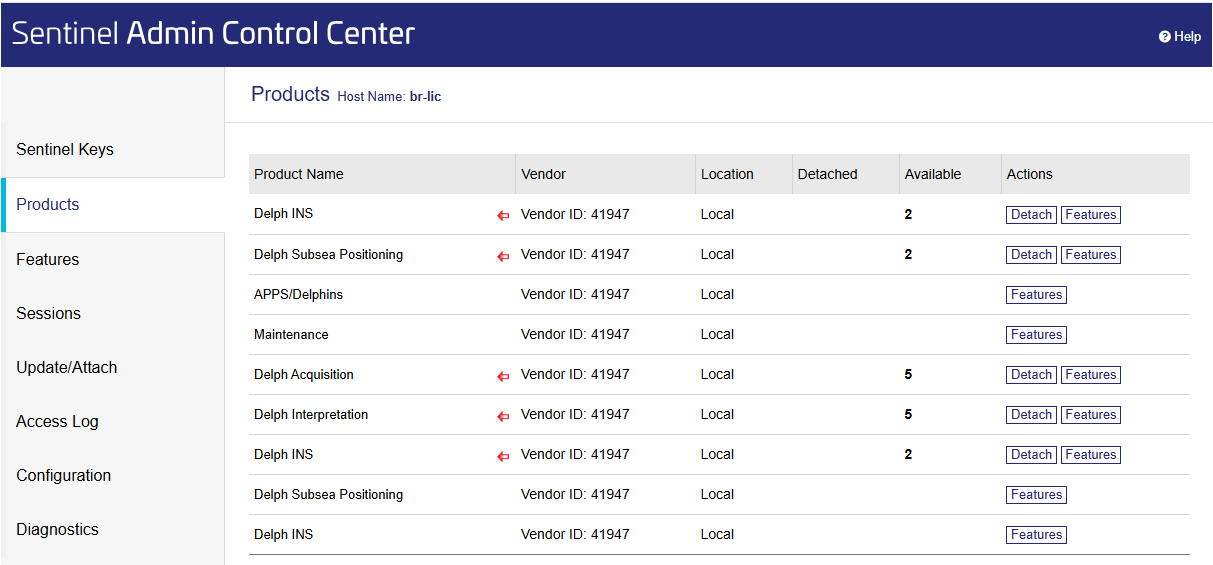
| 5. | Opening the Products page on the server, it shows the license is restored and there is no detached license anymore: |