How to detach a license onine
This procedure details the step to detach a license online on a target machine.
| 1. | On the target machine where the license must be detached, open http://localhost:1947. The Sentinel Admin Control center page is displayed. |
| 2. | Click on the Products tab at the left: |
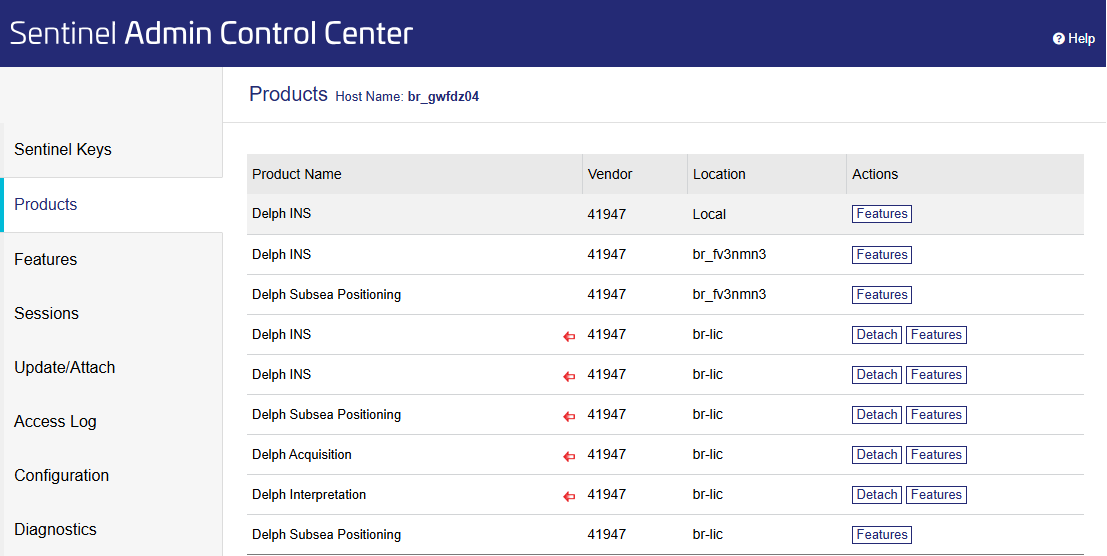
| 3. | Select the license you want to detach and click on Detach. |
| 4. | Select the Online method, enter the expiration date for the detachment and enter a comment: |
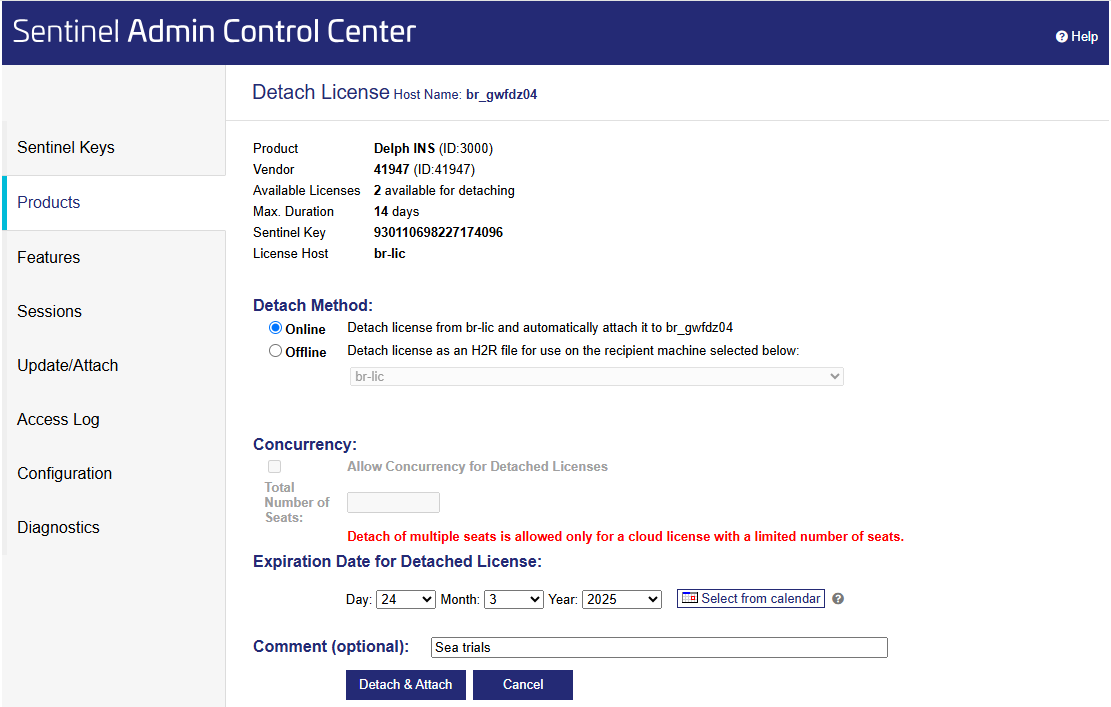
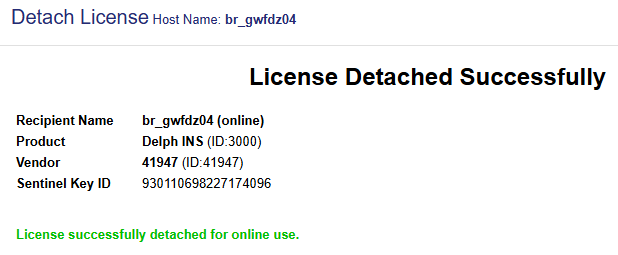
| 5. | Click on Detach & Attach, a message is displayed to indicate that the license is now detached: |
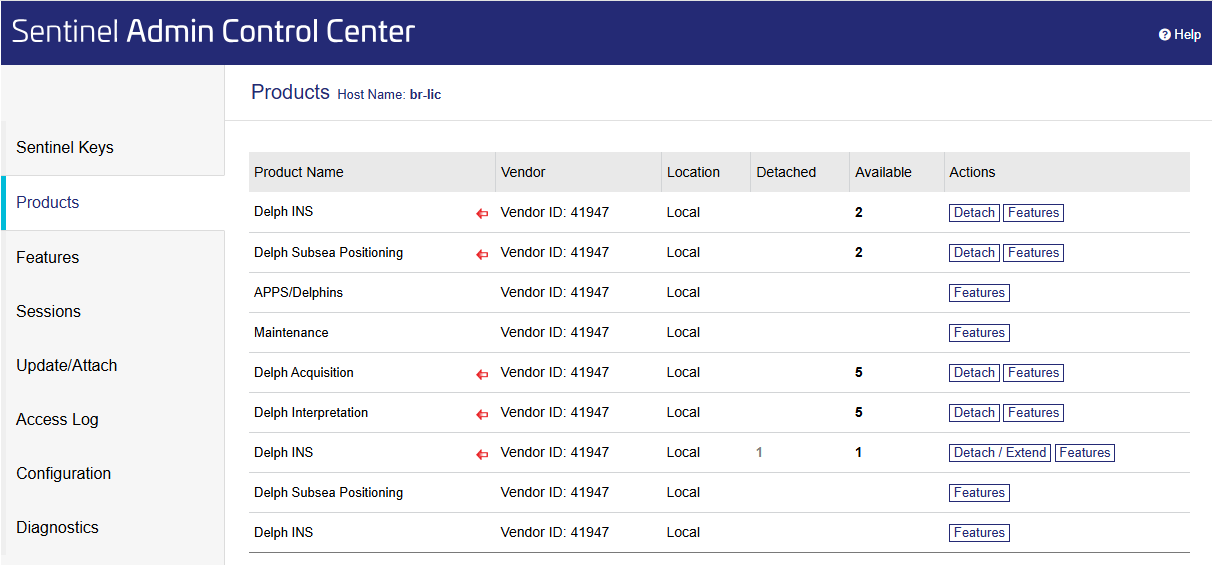
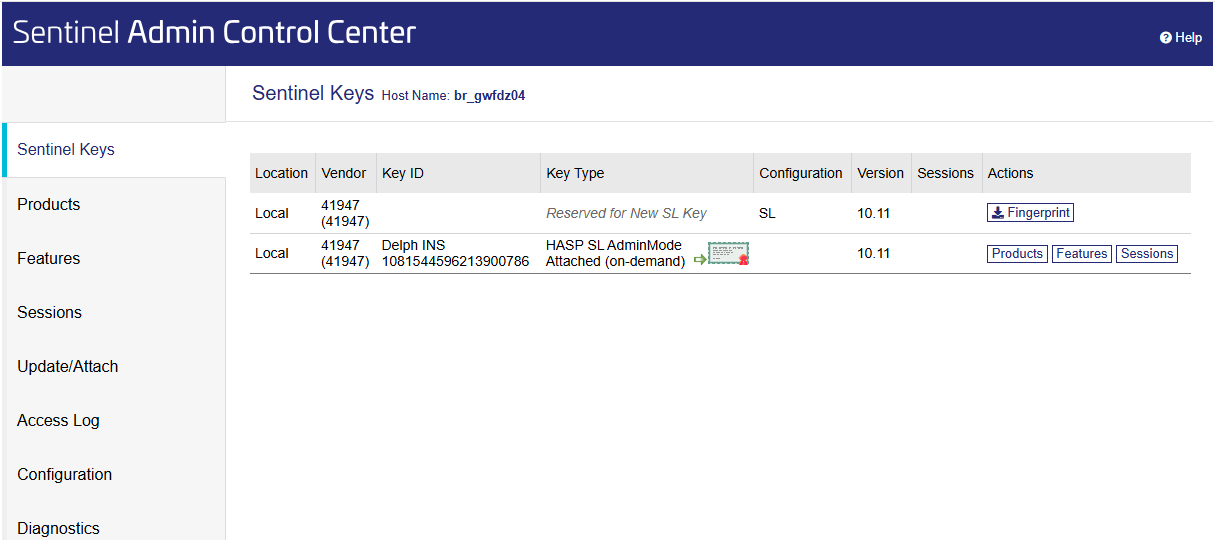
| 6. | Open on the target machine the http://localhost:1947 page. We can see a software license is available, the green arrow indicates it is a detached license. |
| 7. | On the server side you can check that one license is detached: |