How to transfer a license to another machine
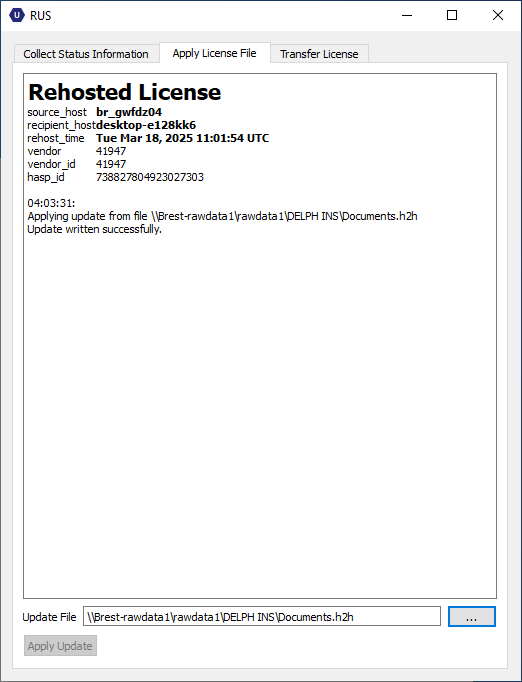
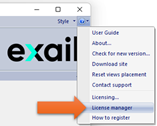
| 1. | On the recipient machine where the license must be transferred, launch the License Manager from Delph INS Subsea. |
| 2. | Click on the Transfer License tab. Select a file name (.id file) for the recipient information and click on Collect and Save Information button. |
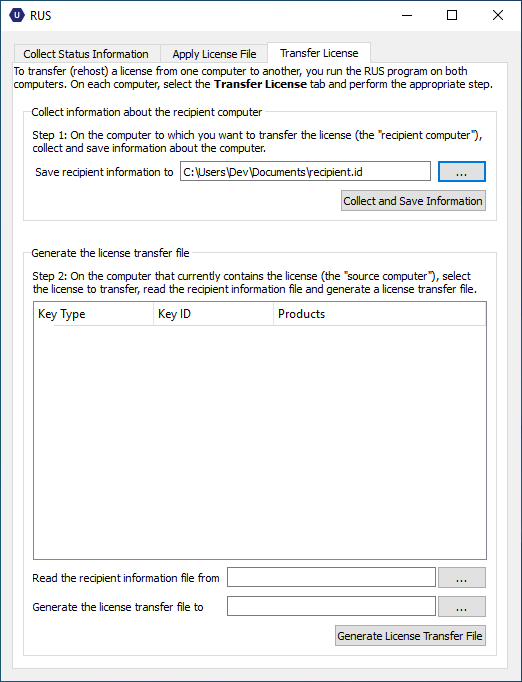
| 3. | Transfer this file to the machine where the license is currently installed (the source computer). |
| 4. | Open the License Manager on the source computer, click on the Transfer License tab and select the .id file in the Read the recipient information file from field. |
| 5. | Select the file name of the license transfer file (.h2h file). |
| 6. | Select the license to be transferred and click on Generate License Transfer File button: |
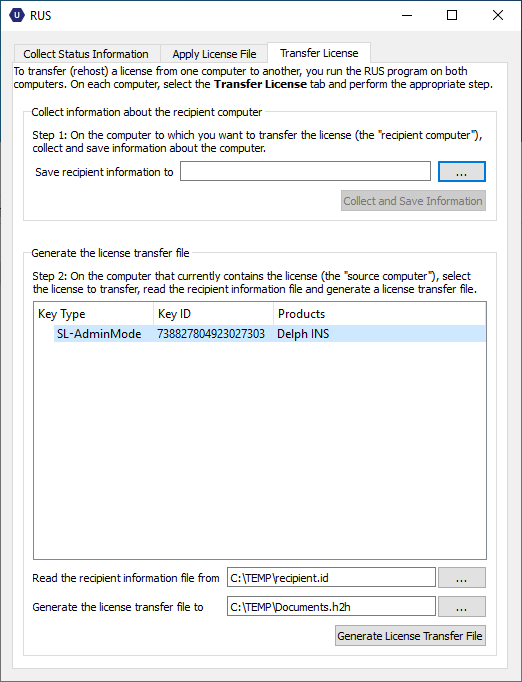
| 7. | Transfer this file to the recipient machine where the license shall be installed. |
| 8. | Open the License Manager, click on the Apply License tab and select the license transfer file (.h2h file): |
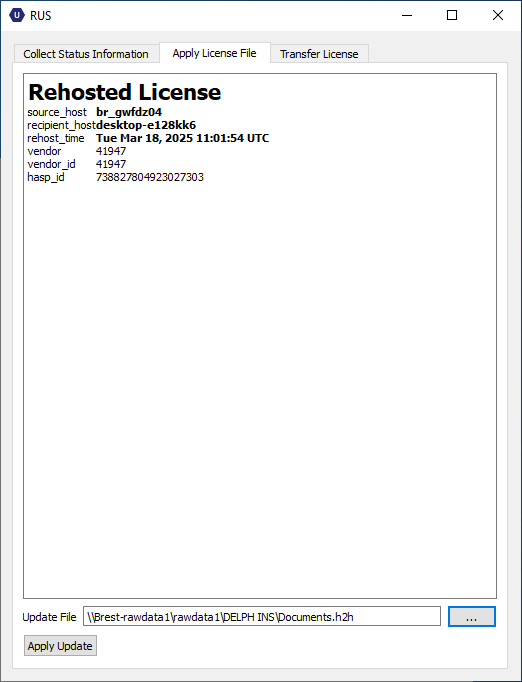
| 9. | Click on Apply Update button to transfer the license. A message inform you of the result of the operation: |